
See Arrkhive Memory in use
Find a document your committee already saved, then add the information the next person will need.
These are real screenshots from Arrkhive 0.2.0 on a test site. The committee minutes are fictional. The interactive preview below is a separate simulation and does not save information.
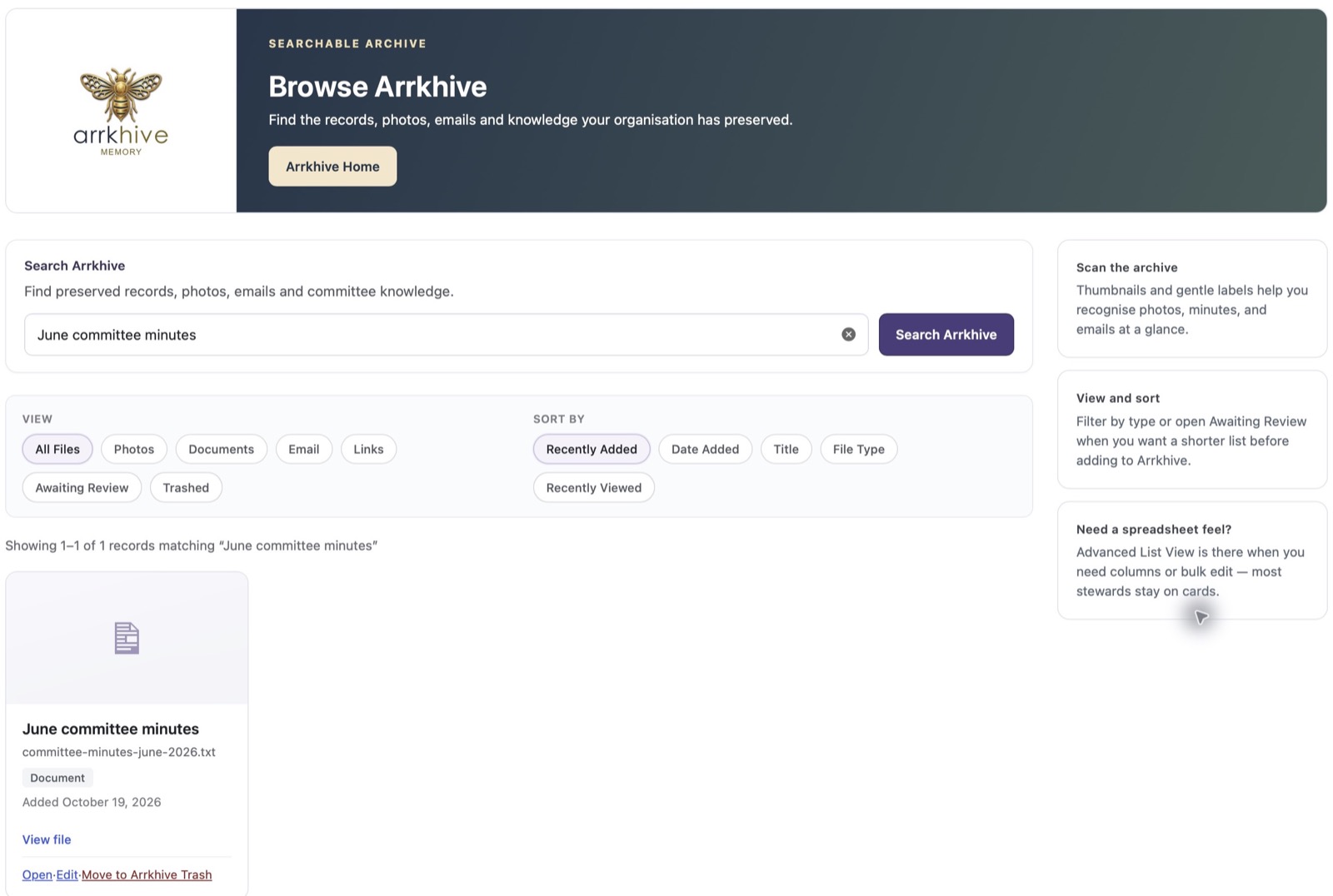
1. Find the minutes
Search for a familiar title. The saved record shows the document name and a View file link to open the original.
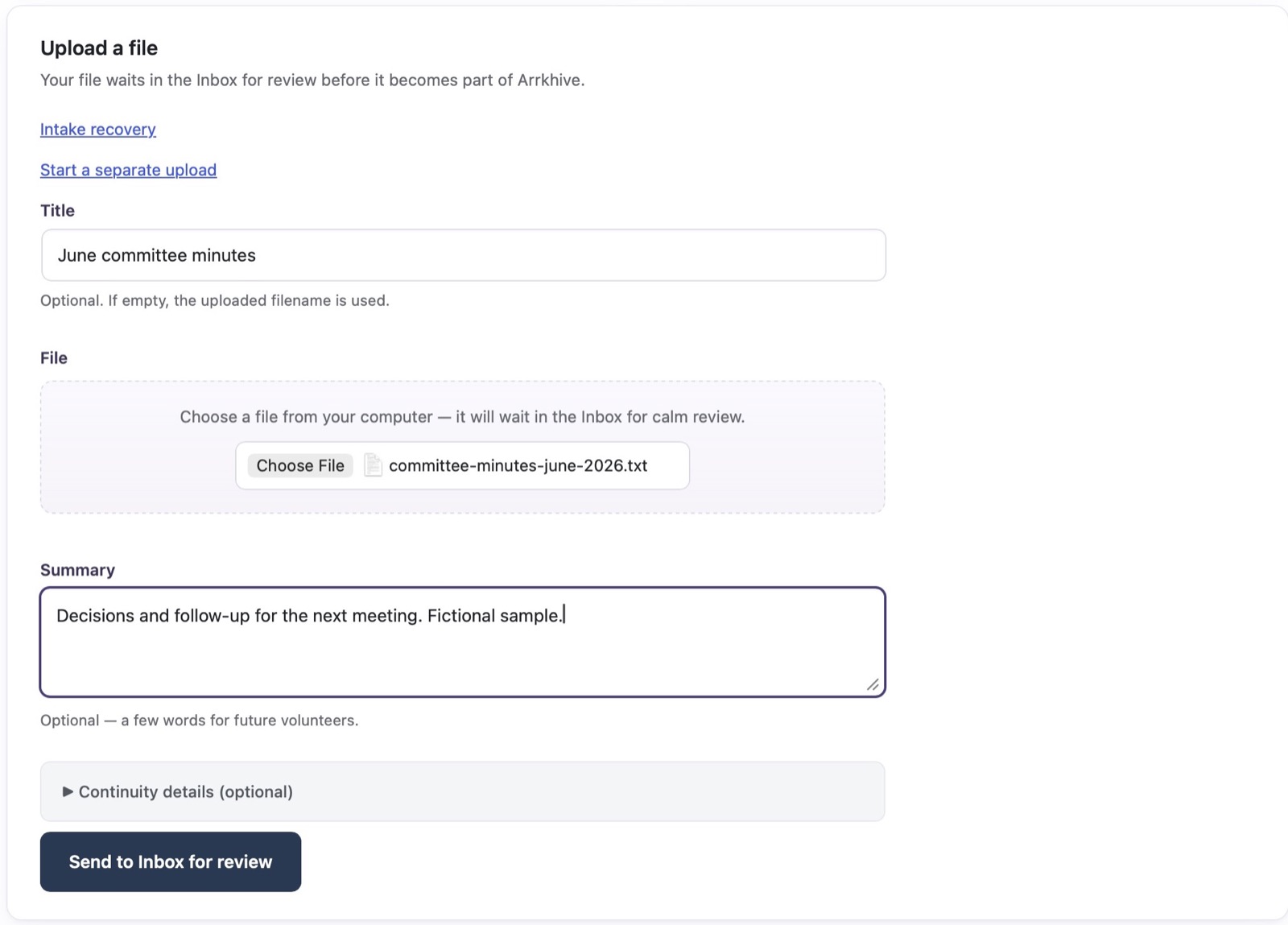
2. Add a file for review
Choose a file, give it a clear title and add a short summary. Send it to the Inbox, where you review and approve it before it joins Arrkhive.
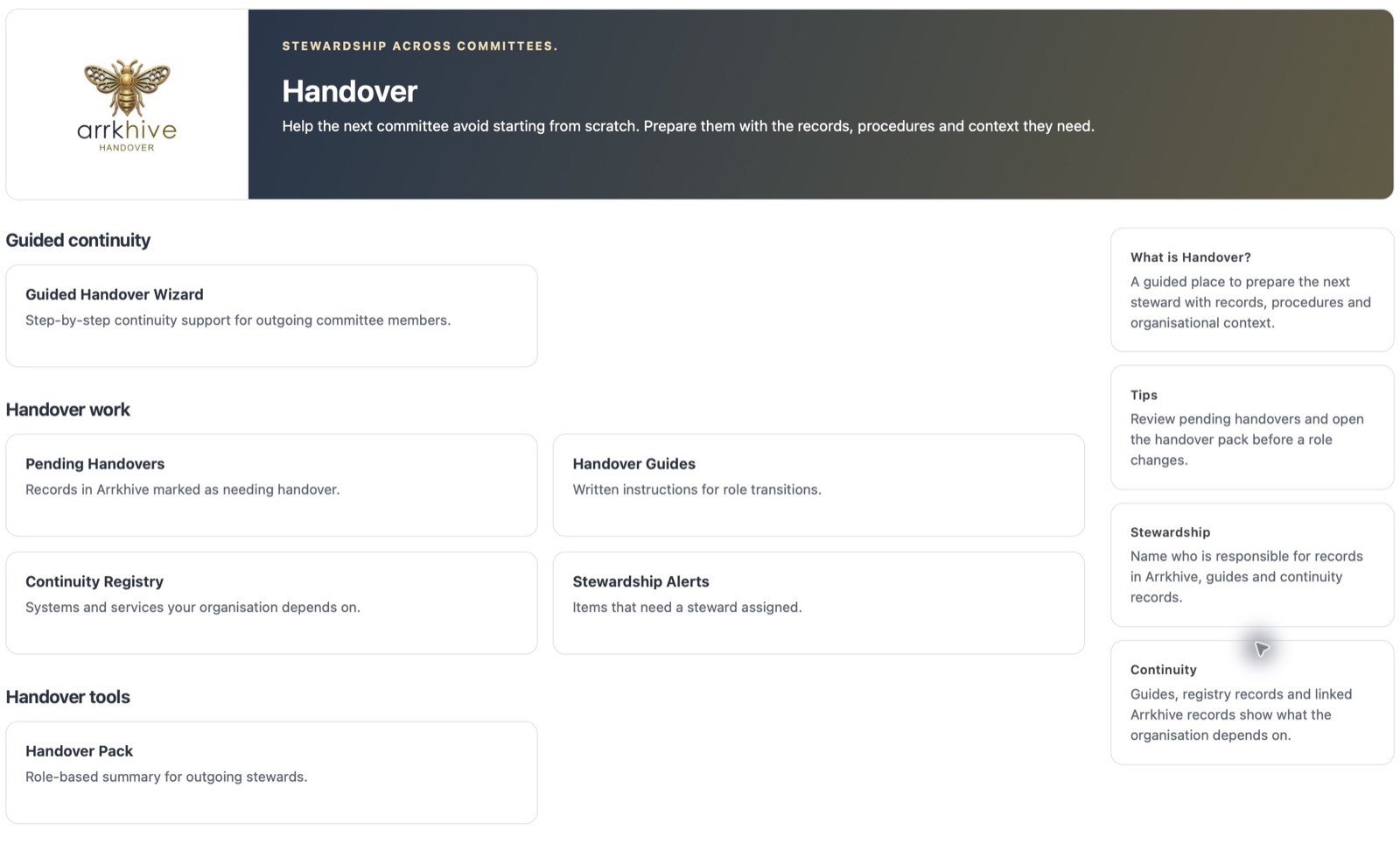
Optional: prepare the next committee with Handover
Memory works on its own. Add Handover when you also want role-transition guides and a continuity registry alongside your saved records.
Interactive preview · Fictional club and records · Nothing here is saved or connected to your site.